Character Planner
This is early BETA. Here are some issues you may encounter:
- Have not figured out how to know if an item is conditioned or not when importing a profile, so until I find a way, all items will be considered conditioned for Characters level >= 80 and non-conditioned for lower levels.
- I have not tested enough when importing non-english profiles, so there may be issues.
- Temporary buffs are not implemented
Character Planner
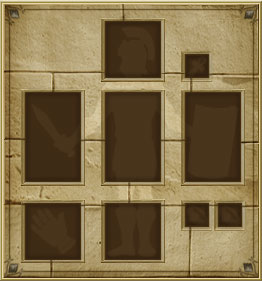
Click equipment slots to add items.
Import Profile
Enter the URL of a Gladiatus character profile to automatically import their stats and equipment.
TitusCassius

+
+
+
+
+
+
+
+
+
Pacts
 Blessing Pacts
 Honours Pacts
 Secret Knowledge Pacts
Character Stats
Base: 5 | Training Cap: 200 | Max with items: 8
Base: 5 | Training Cap: 200 | Max with items: 8
Base: 5 | Training Cap: 200 | Max with items: 8
Base: 5 | Training Cap: 200 | Max with items: 8
Base: 5 | Training Cap: 200 | Max with items: 8
Base: 5 | Training Cap: 200 | Max with items: 8
Combat Stats
Critical attack value:0 / 0
(Dexterity: 0 + Items: 0)
Chance for critical hit:0%
Chance to hit:38%
* Enemy agility simulated as your max agility
Chance to double hit:3.91%
* Enemy intelligence and agility simulated as your max stats
Armour:0
(Items: 0 + Enchants: 0)
Absorbs Damage:1 - 1
Resilience (hardening value):0 / 0
(Agility: 0 + Items: 0)
Chance to avoid critical hits:0%
Blocking (block value):0 / 0
(Strength: 0 + Items: 0)
Chance to block a hit:0%
Threat:0
(Charisma: 0 + Items: 0)
Life Points:100
(Level: 25 + Constitution: +75)
Regen/hour: 12
No items equipped
Click on the equipment slots to add items
Tips:
- Click on any equipment slot to add or edit items
- Hover over items to see detailed stats
- Use the Share button to get a URL for your build
- Red ✕ button on equipped items removes them